Creator Workflow & Readiness
YouTube Live Practice Mode: a rehearsal workflow before going live
Use YouTube Live Practice Mode to rehearse mobile framing, audio, interaction, moderation and launch controls before a creator goes live.
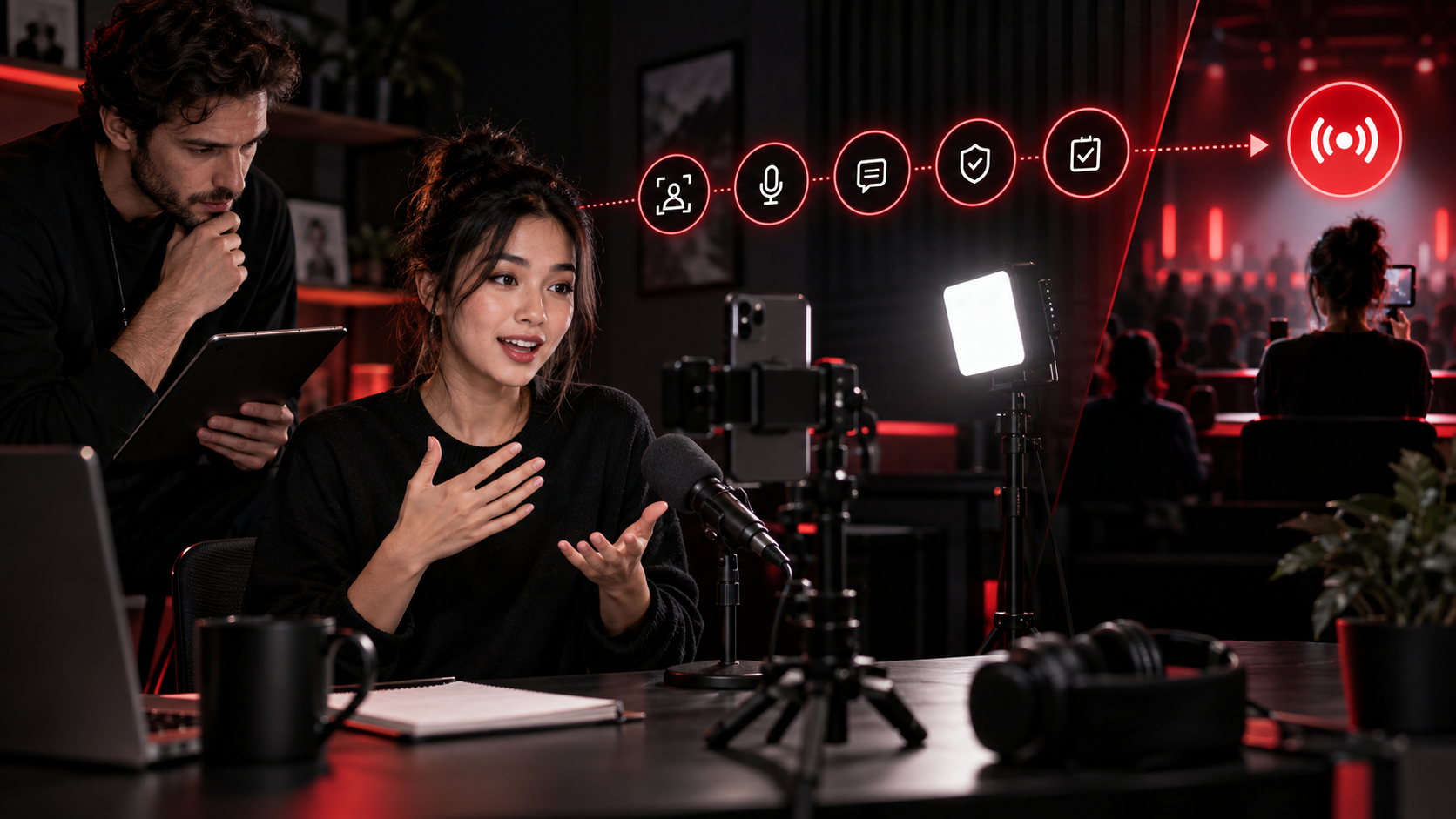
The direct answer: use practice mode as a release gate
YouTube Live Practice Mode gives mobile creators a private space to rehearse setup, content and interaction without a real audience, then move into the public stream when ready. The feature is rolling out to all creators, but it is mobile-only and account availability should still be checked before a campaign schedule depends on it.
The operational value is not simply feeling more comfortable on camera. Live content cannot be edited before viewers see it, and a creator may need to manage product claims, music, guests, audience questions and brand instructions in real time. Practice mode is therefore most useful when it ends with a documented release decision: go live, fix and repeat, or use a planned fallback.
Confirm access before writing it into a deliverable
YouTube's mobile live-streaming guidance currently requires at least 50 subscribers, channel verification, live streaming enabled, no live-stream restrictions in the previous 90 days and a supported mobile device. Enabling a first mobile stream may take up to 24 hours. Channels below 1,000 subscribers may also face audience limitations, while Live Practice Mode itself is described as rolling out rather than instantly present on every device.
Create an account-level availability card before a brand or manager promises a rehearsal. Record the channel, device, operating system, YouTube app version, date checked, whether the Practice Mode entry appears, live eligibility and the fallback. A screenshot from another creator does not prove access for the publishing account. If practice mode is absent, use a private or unlisted technical rehearsal only after confirming what the chosen privacy setting actually does and who may access it.
- Ready: entry appears on the real publishing account and a short test opens successfully.
- Rollout pending: official availability is announced but the account entry is absent.
- Eligibility blocked: subscriber, verification, restriction or first-stream activation gate is unresolved.
- Fallback ready: the team has a separately approved rehearsal method and launch plan.
Rehearse the conditions of the real stream
A rehearsal on a different phone, network or location can create false confidence. Use the actual mobile device, camera orientation, mount, microphone, lighting, network and physical space planned for the stream. Test the opening movement and normal speaking volume, not a silent static preview. Check focus, exposure, background details, battery, heat, notifications and whether product labels or on-screen demonstrations remain legible.
Mobile streams are configured for interactivity, so the creator should also rehearse the delay between speaking, reading a prompt and moving to the next segment. The goal is not studio perfection. It is to learn which failures are recoverable while live and which require stopping. Record the minimum acceptable audio, picture and connection state, plus a fallback such as switching microphones, simplifying the demonstration or ending cleanly if the connection becomes unstable.
Run the content once with decision checkpoints
Convert the run of show into decision points rather than a word-for-word script. The creator should be able to deliver the opening disclosure, explain the product or topic accurately, demonstrate only approved claims, transition between segments and close without depending on an unseen producer. Mark statements that require exact wording, links or visual proof. If a claim changes when spoken naturally, revise the brief before the public session.
Use four lanes in the rehearsal record: approved and repeatable; needs a wording or staging correction; requires brand, rights or safety review; remove from live use. Do not let a smooth performance override an unresolved music, likeness, confidentiality or endorsement issue. YouTube's live terms require the necessary rights for live content, and a stream may be interrupted when third-party content is detected even when the creator believes it is licensed unless the relevant rights handling is complete.
- Opening: identity, topic, sponsorship context and audience expectation are clear.
- Proof: every demonstration can be observed under the actual camera and network conditions.
- Boundaries: private information, prohibited claims and unreleased material have explicit stop points.
- Close: the next action is accurate and the creator can end the stream deliberately.
Practice interaction and moderation as one system
A private room has no real audience, so the team must simulate the questions and disruption the public stream could receive. Assign one person to send a short set of expected, difficult and unsafe prompts. The creator practices acknowledging a useful question, deferring an answer that needs verification, redirecting an off-topic thread and stopping when the situation crosses a safety boundary.
YouTube provides subscriber-only chat, members-only chat, slow mode, held-message controls and standard or managing moderators. Choose the moderation state before launch and name the person who can change it. The moderator needs the approved response boundaries and an escalation route, not merely access to the interface. For brand work, also define who captures questions that may become follow-up content and who keeps personal or harmful material out of shared reports.
Separate rehearsal evidence from public performance data
The practice session is a readiness record, not an audience result. Save the device and network used, checks performed, failures observed, corrections, reviewer and final decision. Do not report practice-mode activity as views, engagement or campaign delivery. After the real stream, YouTube exposes live metrics such as concurrent viewers, views, average view duration, likes and chat rate; those belong in the public performance record with the live URL and observation window.
Keep three layers separate: rehearsal readiness, public delivery and business outcome. A stable rehearsal does not guarantee audience response, and strong concurrent viewership does not prove a sale or incrementality. This separation also makes the workflow reusable: the next stream can inherit verified equipment and moderation settings while reopening topic-specific claims, guests, rights and audience risks.
Use a 20-minute go-live acceptance sequence
Minutes 0–3 confirm the real account, device, app, battery, network and Practice Mode entry. Minutes 3–7 test framing, normal speech, movement, product visibility and the planned fallback. Minutes 7–12 run the opening, core proof and close while the reviewer flags any claim or rights issue. Minutes 12–16 simulate audience questions and moderation actions. Minutes 16–20 record corrections and make one decision: go live now, repeat after a specific fix, or postpone.
KOLMKT's recommendation is to give that decision to a named creator or manager, not to the pressure of a scheduled start time. A good rehearsal makes the public stream more human because the creator knows which facts, transitions and safety boundaries are stable. It does not remove uncertainty; it makes the remaining uncertainty visible before the audience arrives.
- Account and feature access verified on the publishing device.
- Audio, framing, movement and connection meet the minimum state.
- Claims, rights, disclosure and privacy boundaries pass review.
- Moderator, escalation route, fallback and launch owner are present.
- The final decision and unresolved items are timestamped.
Sources
Sources checked 2026-09-15. This article uses official platform material and public technical standards, interpreted through KOLMKT's creator-workflow perspective.
AI assisted research, structure and editing. Factual statements were checked against the sources listed above. Platform rules can change; verify the latest official page before acting.
KOLMKT · NEXT ACTION