Creator Identity Operations
YouTube likeness detection: a creator response workflow
A creator workflow for enrolling in YouTube likeness detection, reviewing suspected AI matches, choosing the right response path and preserving evidence.
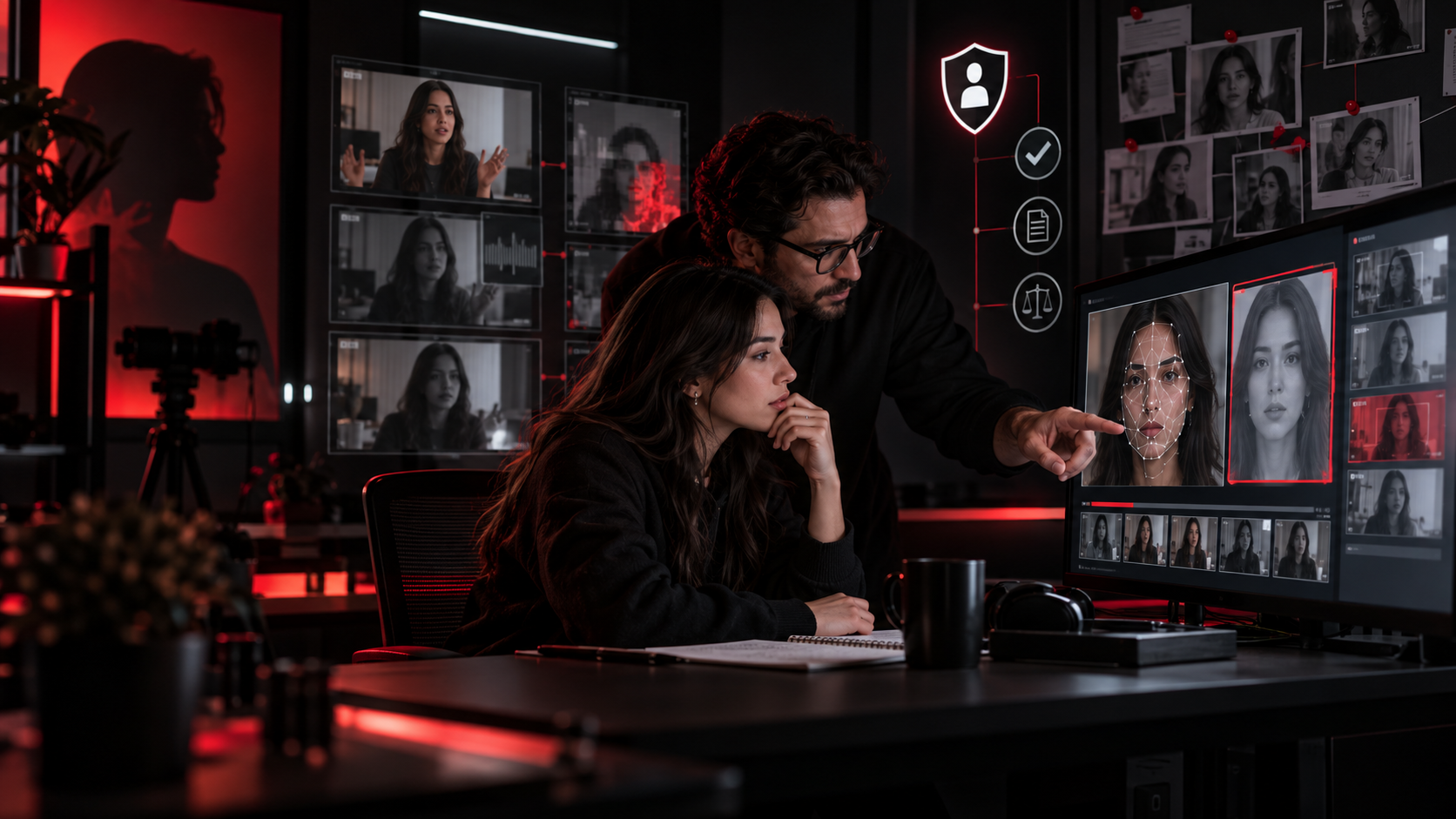
The direct answer: turn detection into a controlled review queue
YouTube's likeness detection can help eligible creators find newly uploaded videos that may contain an altered or AI-generated version of their face. It does not decide that a video is synthetic, unlawful or removable. YouTube says the experimental system may also surface genuine footage, clips or other uses of a creator's real face. The useful operating model is therefore detection, human classification, evidence preservation and proportionate action—not automatic takedown.
This distinction matters for creator teams. A suspected match could be a synthetic impersonation, a repost of the creator's copyrighted footage, a permitted collaboration, commentary or satire, or an urgent safety incident. Those cases require different evidence and different response routes. One queue with a named reviewer prevents a manager from treating every alert as the same kind of violation.
Verify eligibility, consent and team access before enrolling
YouTube currently describes likeness detection as experimental and unavailable in some countries. Setup is limited to people over 18 who are channel owners or managers. Enrollment requires a government-issued ID and a brief face video, and verification may take up to five days. Each on-camera person who wants protection must enroll separately rather than relying on one channel-wide submission.
Because enrollment involves identity and biometric-reference data, creators should separate it from ordinary production access. The creator should confirm who is enrolling, which channel role they hold, whether the optional model-improvement consent is accepted, and who may review matches. YouTube's permission guidance says owners, managers, editors and limited editors can take actions in Content detection, while managers and owners control permissions. Use individual accounts and role-based access instead of sharing the owner's password.
- Record the enrolled person, channel, role, country and verification completion date.
- Store only the operational status in the team tracker; do not copy IDs, face videos or account credentials into it.
- Name one primary reviewer and one backup, then remove access when a manager or agency relationship ends.
- Review the consent choice and retention implications with the creator before setup, not after a match appears.
Build an incident card before choosing a response
A match list is a discovery surface, not a complete case file. Before anyone requests removal, create a compact incident card that another authorized reviewer can understand. Capture the video URL, channel URL, detection date, matched timestamp, screenshots, visible disclosure, title and description, and whether the face appears altered, synthetic or simply reused. Record the creator's original source asset when relevant and preserve the review decision separately from the platform's match score or view count.
Context changes the decision. Identify whether the upload is a permitted brand deliverable, licensed compilation, fan edit, news report, parody, critique, fraudulent endorsement or copied original. If a contract, license or email permission exists, link to the controlled record without moving private documents into a public or broadly shared tracker. If physical danger, extortion or credible threats are involved, the platform queue is not the only escalation path.
- Identity: which creator is matched, and are they uniquely identifiable?
- Asset: synthetic face, genuine footage, copied original work, voice-only use or uncertain.
- Permission: allowed, expired, disputed, absent or still being checked.
- Harm: audience confusion, false endorsement, commercial misuse, harassment, copyright loss or immediate safety risk.
- Evidence: URLs, timestamps, screenshots, source files, disclosure state and reviewer name.
Choose privacy, copyright, archive or urgent-safety action
YouTube's review screen offers several paths because one legal or policy theory does not fit every match. A privacy complaint may be appropriate when the creator is uniquely identifiable and the use violates privacy. A copyright removal request is a separate legal process for unauthorized use of copyrighted material; YouTube instructs claimants to consider fair use, public domain and similar exceptions and warns that some claimant information can be shared with the uploader. Archiving a match removes it from the active review list while leaving the video live.
Do not use the fastest button as the default. Synthetic likeness without copied footage can raise a privacy question without being a copyright case. Reuploaded original footage can raise copyright issues even when the face itself is not synthetically altered. Commentary, parody or licensed use may require documentation rather than removal. If there is immediate physical danger, YouTube's privacy guidance directs people to contact local authorities; the team should also preserve the evidence and follow the creator's existing safety plan.
- Privacy: uniquely identifiable person, contextual harm and the platform's privacy criteria are the core review.
- Copyright: identify the owned work, authorization status, exact URLs and relevant exceptions before submitting.
- Archive: use for permitted, non-actionable or unresolved matches that should leave the active queue without erasing the record.
- Urgent safety: preserve evidence, restrict internal access and use the appropriate emergency or legal channel in parallel.
Separate current face coverage from announced voice protection
The current Help page says the tool detects enrolled creators' faces. YouTube's September 23 announcement says speaking-voice detection will begin integrating with facial detection later in 2026, but the current workflow should not treat voice matching as generally available. Voice-only impersonation should continue through the privacy complaint process or another appropriate route rather than being marked as a missed face-detection result.
The same caution applies to coverage and accuracy. The feature is experimental, may miss altered videos and may surface real footage. A quiet queue does not prove that impersonation is absent, and a match does not prove synthetic use. Creators should keep a public-report intake route for viewers and partners, periodically search high-risk campaign terms, and label each case as detected, externally reported or manually found.
Protect identity data while allowing managers to help
Likeness operations can expose sensitive material: legal names, identity-verification status, screenshots of abuse and correspondence with uploaders. Keep the minimum case record needed for the decision, limit access by role and set a review or deletion date. Do not place government IDs, face videos, passwords or private legal advice in a campaign workspace. When an external manager or attorney acts, record their authorization and the boundary of their access.
This is also a continuity problem. If one person holds every alert and retraction email, the creator can lose visibility when a team relationship changes. Use a creator-controlled mailbox or documented handoff, assign case owners and keep a decision log. Remove former team members through channel permissions rather than changing shared credentials that should never have existed.
Run a 30-minute setup and response drill
Before the first incident, spend 30 minutes checking account availability and rehearsing the decision. Confirm the creator's eligibility, review the consent screen, assign roles, define where incident cards live and walk one hypothetical case through privacy, copyright, archive and safety paths. The drill should end with a named approver, a controlled evidence location and an escalation contact—not with a promise that every synthetic video can be detected or removed.
Review the queue on a fixed cadence based on risk: monthly for most creators, weekly during major launches or after a known impersonation event. Track open, archived, submitted, rejected, retracted and resolved cases separately. KOLMKT treats this as creator readiness because identity protection supports trustworthy brand collaboration, but the creator or authorized representative retains the final decision on legal or privacy submissions.
- Confirm feature availability and enrolled people.
- Verify individual roles and remove shared-password access.
- Create the incident-card template and restricted evidence folder.
- Rehearse one privacy case and one copyright case without submitting them.
- Set the review cadence, approver and urgent-safety contact.
- Record outcomes without treating a submitted request as a guaranteed removal.
Sources
Sources checked 2026-09-29. This article uses official platform material and public technical standards, interpreted through KOLMKT's creator-workflow perspective.
- YouTube Blog — New tools to power your creation journey from start to finish (September 23, 2026) ↗
- YouTube Help — Likeness detection on YouTube ↗
- YouTube Help — Privacy Complaint Process ↗
- YouTube Help — Channel permissions and Content detection access ↗
- YouTube Help — Submit a copyright removal request ↗
AI assisted research, structure and editing. Factual statements were checked against the sources listed above. Platform rules can change; verify the latest official page before acting.
KOLMKT · NEXT ACTION